How to Use Astroai Tire Inflator for Cars
Using the AstroAI Tire Inflator is simple. First, connect it to your car’s power outlet.
Next, attach it to your tire valve and start inflating. A flat tire can ruin your day. But with the AstroAI Tire Inflator, you can fix it quickly. This handy tool is ideal for both emergencies and regular tire maintenance. Whether you’re on a road trip or just heading to work, knowing how to use it can save you time and stress.
In this guide, you’ll find step-by-step instructions on how to inflate tires safely. In this guide, we’ll walk you through how to connect, operate, and store the inflator. By the end, you’ll feel confident and prepared to handle unexpected tire issues. So, let’s dive in and make tire inflation easy and efficient
Getting Started
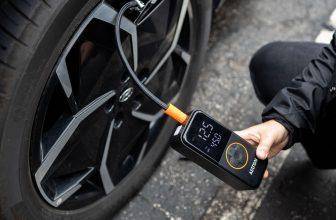
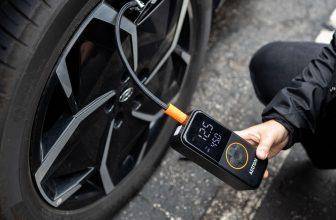
Start using the AstroAI Tire Inflator by connecting it to your car’s power outlet. Attach the nozzle to the tire valve, then set your desired pressure level. Press the start button, and the inflator will automatically stop once the tire reaches the set pressure.
Unboxing The Tire Inflator
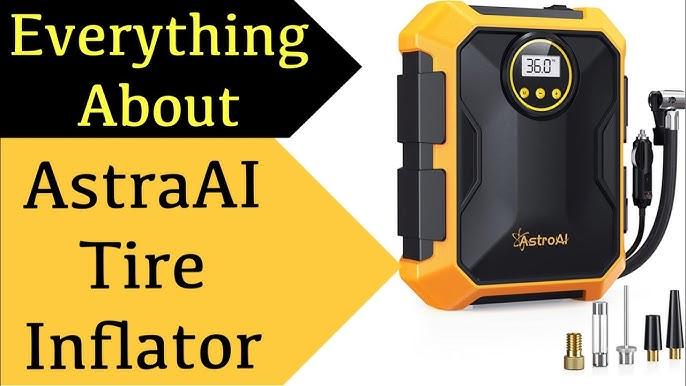
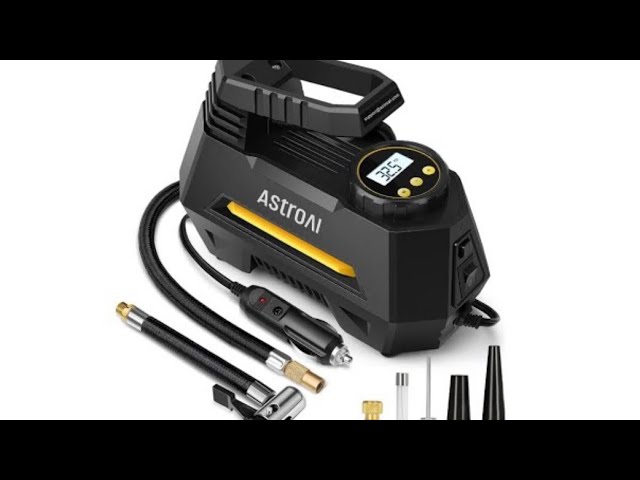
First, open the box carefully. Next, locate the tire inflator inside and inspect it for any damage or missing parts. Typically, the box includes the main unit, a power cable, and several adapters. Then, take a moment to read the provided instructions and keep them in a safe place for future reference. As you examine the inflator, you’ll notice its compact design, making it easy to store when not in use.
Understanding The Components
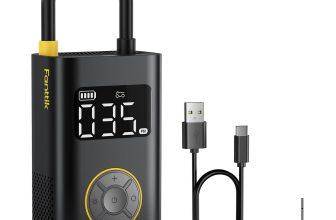
To begin, identify the main unit; it features a digital display and several buttons. Next, locate the power cable, which connects to your car’s outlet. You’ll also find various adapters designed to fit different valve types. Then, find the hose that links the inflator to your tire. After that, take time to learn the function of each button. Use the display to monitor pressure levels accurately. Most importantly, always ensure the hose is securely attached. Overall, understanding these components is essential for safe and effective use.

Basic Operation
Start by plugging the inflator into your car’s cigarette lighter socket. Ensure the car is turned off before doing this. This is important for your safety. Fortunately, the power cord is long enough to reach all four tires with ease. Once connected, check if the power light is on; this indicates the inflator is ready for use. As a precaution, avoid operating the inflator while the car engine is running.
First, turn on the inflator. Then, use the plus and minus buttons to set your desired pressure. The current setting will appear on the digital display. Be sure to check your car’s manual for the recommended tire pressure. Once set, press the start button to begin inflating. The inflator will automatically stop when the tire reaches the set pressure. Finally, always double-check the pressure with a separate gauge to ensure accuracy
Maintenance Tips
Keeping the AstroAI Tire Inflator clean is essential for optimal performance. Over time, dust can accumulate and block the air path. To prevent this, regularly use a soft cloth to wipe down the surface. However, avoid using water directly, as moisture may damage the internal components. Additionally, check the filter for any buildup of dirt and clean it gently. Maintaining cleanliness in this way helps the inflator function smoothly and efficiently.
Begin by looking for signs of wear and tear. Start with the hose, check carefully for any cracks, as these can lead to air leaks. Next, inspect the power cord and ensure it is not frayed, since damaged cords pose a safety risk. Then, make sure all parts are securely tightened, as loose components can negatively affect performance. If you find any damaged parts, replace them promptly. Performing these regular checks helps keep your inflator safe, reliable, and effective.
Troubleshooting
Get started with the AstroAI Tire Inflator by connecting it to your car’s power outlet. Set the desired tire pressure on the device. Press the start button to inflate your tire quickly and easily.
Common Issues
Users often face problems with the AstroAI tire inflator. It might not start. Check the power source first. Ensure it is plugged in. The inflator might not inflate tires properly. Look at the hose connections. They should be tight. Sometimes, it shows wrong pressure readings. Ensure the gauge is not damaged. If the device overheats, stop using it. Allow it to cool down before restarting.
Contacting Support
Support can help with unresolved issues. Visit the company’s website. Find the contact details there. You can call or email them. Provide them with the product details. Describe the issue clearly. Attach photos if possible. They can offer solutions. Sometimes, they might suggest a replacement. Always keep the purchase receipt handy. It helps with warranty claims.


Frequently Asked Questions
How Do I Turn On The AstroAI Tire Pump?
To turn on the AstroAI tire pump, connect the power cord to the car’s 12V outlet. Press the power button to activate the pump. Adjust the pressure setting if needed, then attach the nozzle to the tire valve. The pump will start inflating the tire.
How to Operate a Tire Inflator?
Connect the tire inflator’s hose to the tire valve securely. Set the desired pressure level on the device. Turn on the inflator to start pumping air. Monitor the pressure gauge to ensure accuracy. Turn off the inflator once the desired pressure is reached.
How to Use the AstroAI Tire Pressure Gauge?
Turn on the AstroAI gauge, remove the tire valve cap, and press the gauge onto the valve. Read the measurement on the display. Repeat for accuracy, and replace the cap. Ensure the gauge is off to save battery. It’s ideal for maintaining optimal tire pressure.
Conclusion
Using the AstroAI Tire Inflator is straightforward and effective. Just follow the simple steps and keep your tires in top condition. Regularly check your tire pressure for safety and better performance. With the tire inflator, you can quickly inflate tires without hassle.
No need for complicated tools or deep mechanical knowledge. It’s a practical device for everyday drivers. Enjoy smoother rides and peace of mind with well-inflated tires. Remember, proper tire care extends their lifespan. Stay on the road confidently and safely with the AstroAI Tire Inflator.
Happy driving!