Smart Home Devices That Simplify Your Life
Why Smart Home Devices Are Becoming Essential, Not Optional.
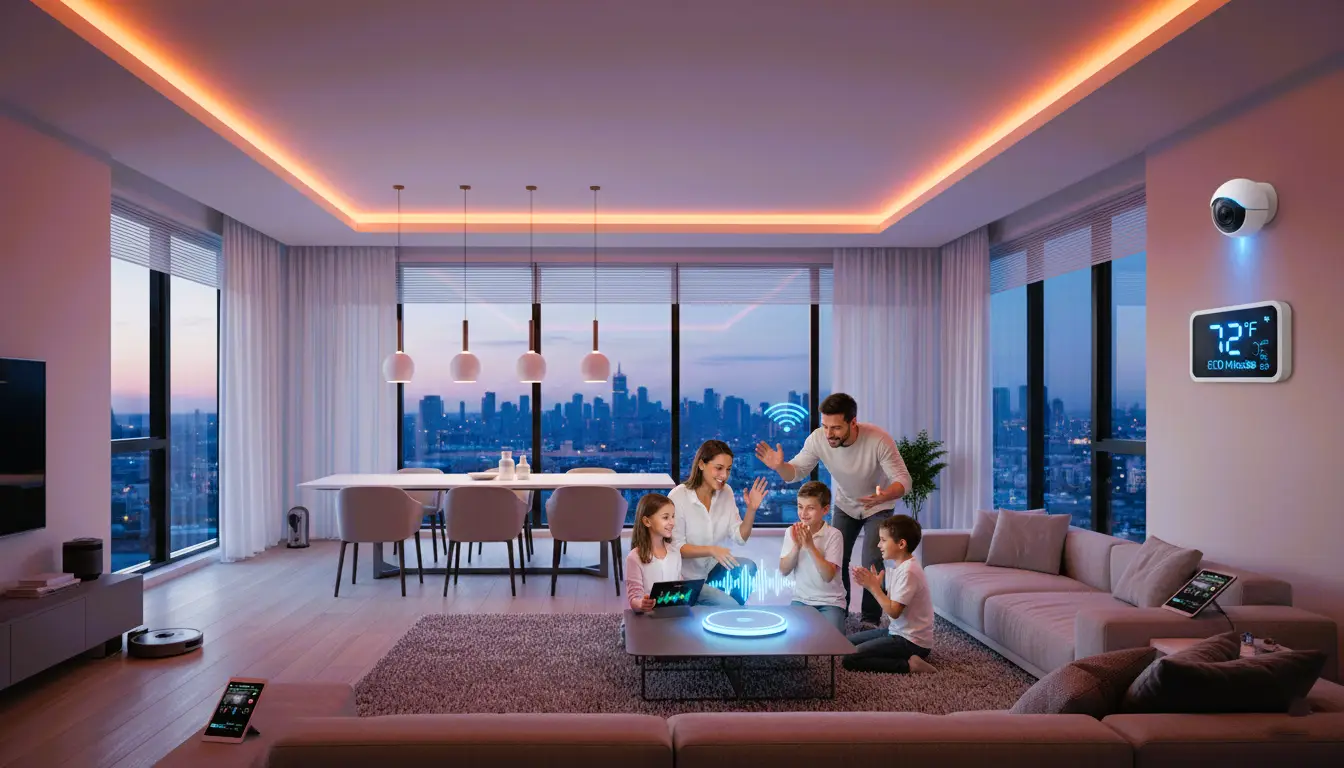
Smart home devices are no longer niche gadgets for tech enthusiasts. They have become practical tools that help households improve security, reduce energy waste, and simplify everyday routines. From smart thermostats that automatically adjust temperature to voice-controlled lighting systems, today’s smart home technology focuses on efficiency, comfort, and control.
However, not all devices deliver the same value. Differences in compatibility, reliability, privacy standards, and long-term support can significantly impact user experience. This guide explains how they work, and, most importantly, how to choose the right options based on real-world needs rather than marketing claims.
By the end of this article, you’ll have a clear framework for comparing devices, avoiding common mistakes, and building a smart home system that grows with your lifestyle.
What Is a Smart Home?
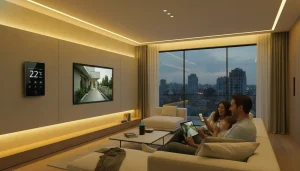
A smart home is a residence equipped with internet-connected devices that automate and remotely control systems such as lighting, climate, security, and appliances. These systems improve convenience, energy efficiency, and safety through apps, voice assistants, or automated routines.
What Are Smart Home Devices?
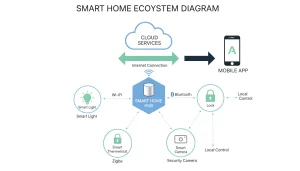
Smart Living Devices are connected electronic products that monitor, automate, or control household functions. Examples include smart thermostats, lights, cameras, locks, and speakers. They communicate through Wi-Fi, Bluetooth, or hubs to respond to user commands or preset conditions.
What Is Smart Home Technology & How It Works
How Do Smart Home Devices Work?
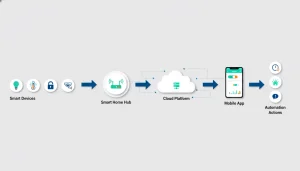
Smart Living Devices work by connecting to a network and exchanging data through apps, cloud services, or local hubs. Sensors collect information, software processes it, and automated actions occur based on rules, schedules, voice commands, or real-time conditions.
Core Technology Behind Smart Living Devices
Smart home technology combines hardware, software, and connectivity to create an intelligent living environment. The system typically includes:
Connectivity protocols (Wi-Fi, Zigbee, Z-Wave)
Control platforms (mobile apps, hubs, cloud services)
Automation logic (rules, schedules, AI learning)
How Smart Home Devices Communicate and Automate Tasks
Smart Living Devices communicate through a central platform or hub. Once connected, they can trigger automated actions based on:
* Time (scheduled routines)
* Location (geofencing)
* Sensors (motion, temperature, light)
Example:
A motion sensor activates smart lighting and sends a phone alert at the same time.
Types Of Smart Home Devices
Smart Living Devices bring comfort, security, and convenience to daily life. They connect to the internet and work together to make homes more efficient. These devices come in many types, each serving a special purpose. Understanding the main types helps you choose the right devices for your home. Here are the common types of smart home devices that many people use.
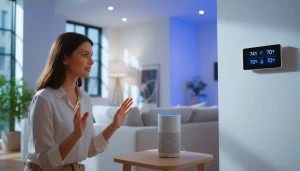
Smart Speakers And Voice Assistants
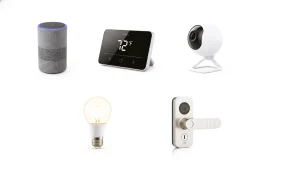
Smart speakers are devices that play music, answer questions, and control other smart devices using voice commands. They have built-in voice assistants like Alexa, Google Assistant, or Siri. These assistants understand simple commands and help with tasks.
Popular features of smart speakers include:
• Playing music and podcasts
• Setting alarms and reminders
• Providing weather and news updates
• Controlling Smart Living Devices by voice
• Making hands-free calls
Smart speakers often serve as the control center for a smart home. They connect with many devices, allowing voice control for lights, thermostats, and more. Some models have screens to show video calls, recipes, or security camera views.
Device Voice Assistant Special Features
Amazon Echo Alexa Wide smart home compatibility
Google Nest Audio Google Assistant Excellent voice recognition
Apple HomePod Mini Siri is Best for Apple ecosystem users
Smart Thermostats
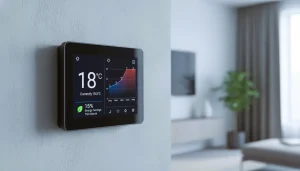
Smart thermostats control home heating and cooling systems. They help save energy by adjusting temperatures based on your routine. These devices learn your habits and make changes automatically.
Key benefits of smart thermostats:
1. Save money on energy bills
2. Control temperature remotely via smartphone apps
3. Schedule heating or cooling for different times
4. Monitor energy usage
5. Integrate with other Smart Living Devices
Many smart thermostats use sensors to detect if people are home. They turn down heating or cooling when the house is empty. Some models also provide detailed reports on energy use to help optimize settings.
Smart Thermostat Main Features App Control
Google Nest Thermostat Auto-schedule, energy reports Yes
Ecobee SmartThermostat Room sensors, voice control Yes
Honeywell Home T9 Smart room sensors, geofencing, Yes
Home Security Systems
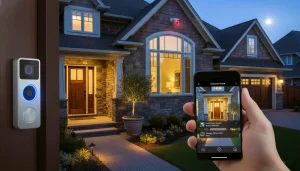
Smart home security systems protect your home with cameras, alarms, and sensors. They provide real-time alerts to your phone if something unusual happens.
Common components of smart security systems:
• Indoor and outdoor cameras
• Motion detectors
• Door and window sensors
• Smart locks
• Alarm sirens
These systems allow remote monitoring and control. You can see live video, lock or unlock doors, and receive notifications. Many systems offer professional monitoring services for added safety.
System Features Professional Monitoring
Ring Alarm Video doorbell, motion sensors, and Optional.
SimpliSafe Wireless sensors, easy setup, Available.
Arlo Pro Wireless cameras, smart alerts, and Optional.
Smart Lighting
Smart lighting includes bulbs, switches, and fixtures that you can control remotely. These lights can change color, brightness, and turn on or off automatically.
Benefits of smart lighting:
• Save energy by scheduling lights
• Create moods with color changes
• Control lights from anywhere
• Integrate with voice assistants
• Automate lighting based on time or motion
Smart lighting improves home ambiance and security. For example, lights can turn on at sunset or when you enter a room. Many systems use apps or voice commands for easy control.
Product Features Control Options
Philips Hue Color changing, scheduling App, voice
LIFX Bulbs: No hub needed, multicolor App, voice
TP-Link Kasa Smart Energy monitoring, dimming App, voice

Connected Appliances
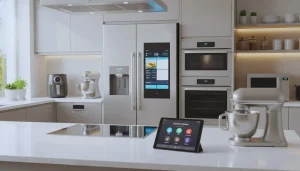
Connected appliances are smart versions of everyday home devices. They include refrigerators, ovens, washing machines, and more. These appliances connect to Wi-Fi and offer remote control and monitoring.
Advantages of connected appliances:
• Start or stop appliances from your phone
• Receive alerts about cycles or maintenance
• Save energy by running at optimal times
• Get recipe suggestions and cooking guides
• Integrate with other Smart Living Devices
Smart appliances make chores easier and more efficient. For example, a smart refrigerator can notify you when food is low. A smart oven is capable of warming up in advance, ensuring it’s ready when you get home.
Appliance Smart Features Control Method
Samsung Smart Refrigerator: Internal cameras, alerts, App, voice
LG Smart Oven Remote preheat, recipe app
Whirlpool Smart Washer Cycle notifications, remote start App
Benefits Of Smart Home Devices
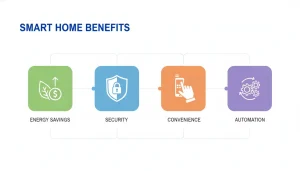
Smart Living Devices bring many benefits to daily life. They make homes safer, save energy, and add comfort. These devices connect to the internet and work together to improve how people live. Using smart technology helps control home systems easily. From lighting to security, smart devices change homes for the better.
Best Smart Home Technology for Modern Living
What Makes Smart Home Technology the Best?
The best smart home technology focuses on:
* Device compatibility across brands
* Reliable automation and fast response
* Strong data privacy and encryption
* Simple setup and user-friendly control
Examples of High-Impact Smart Home Technology
Instead of specific products, highlight technology categories:
* AI-driven thermostats that reduce energy waste
* Smart security systems with real-time alerts
* Adaptive lighting systems that improve comfort
Energy Efficiency
Smart Living Devices help save energy by managing power use smartly. They reduce waste and lower electricity bills. These devices learn your habits and adjust settings automatically.
• Smart thermostats adjust heating and cooling based on your schedule.
• Smart lights turn off when no one is in the room.
• Energy monitors track appliance use and suggest savings.
Here is a simple table showing energy savings from common smart devices:
Device Energy Saved Benefit
Smart Thermostat 10-15% Lower heating/cooling costs
Smart Lighting 20-30% reduced electricity use
Energy Monitor 5-10% Better appliance management
Smart devices help you control energy without extra effort. They make homes more efficient and eco-friendly.
Enhanced Security
Smart Living Devices improve safety around the house. They offer real-time alerts and easy control of security systems. You can watch your home anytime from your phone.
• Smart cameras record and stream video live.
• Smart locks allow keyless entry and track who enters.
• Motion sensors detect unusual activity and send alerts.
Smart security devices give peace of mind by making homes safer. You know your home is protected even when away.
Below are the key benefits of smart security devices:
1. Instant alerts notify you of break-ins or problems.
2. Remote access lets you lock or unlock doors from anywhere.
3. Video recording helps identify visitors or intruders.
Smart security systems work 24/7. They help prevent theft and keep families safe.
Convenience And Automation
Smart Living Devices make life easier by automating daily tasks. They perform actions without manual input. Automation saves time and effort.
• Voice assistants control devices with simple commands.
• Smart plugs turn devices on/off on a schedule.
• Automated routines adjust lights, temperature, and more at set times.
These features create a comfortable home environment. You do not need to remember every task.
For example, a morning routine can:
1. Turn on the lights gradually.
2. Start the coffee maker.
3. Adjust the thermostat to a comfortable temperature.
Automation lets you focus on important things. It reduces stress and improves daily living.
Remote Control And Monitoring
Smart Living Devices let you control and check your home from anywhere. Use a smartphone or tablet to manage settings anytime. This feature adds flexibility and control.
• Adjust the temperature before arriving home.
• Turn off forgotten lights or appliances remotely.
• Check security cameras from a different city.
A remote control keeps you connected to your home. It helps save energy and enhances security.
Here is a quick overview of remote control benefits:
Feature Benefit
Remote Access Control devices from anywhere
Real-Time Alerts: Stay informed about home status
Remote Monitoring: View live video and sensor data
Remote control and monitoring improve home management. They give confidence and convenience every day.
Popular Smart Home Platforms
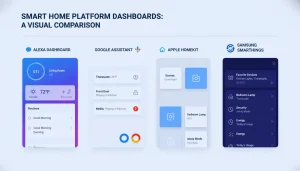
Smart Living Devices make daily life easier by automating tasks and improving comfort. Popular smart home platforms act as the brain for these devices. They help control lights, locks, thermostats, cameras, and more, all from one app or voice command. Choosing the right platform depends on the devices you want and how you prefer to control them. Below, we explore four major platforms that lead the smart home market.
Alexa Smart Home Devices and Voice-Controlled Automation
What Are Alexa Smart Home Devices?
Alexa smart home devices are products that integrate with Amazon Alexa, enabling voice control for lighting, security, temperature, and entertainment systems.
How Alexa Smart Home Devices Improve Automation
Alexa allows users to:
1. Control multiple devices with one voice command
2. Users can set up automated routines such as morning start-ups or away-from-home modes.
3. Connect thousands of third-party Smart Living Devices
Example:
“Alexa, good night” can lock doors, dim lights, and adjust the thermostat.
Amazon Alexa
Amazon Alexa is one of the most widely used smart home platforms worldwide. It works through Echo devices and many third-party products. Alexa listens to your voice commands and controls compatible smart devices instantly.
Some key features of Amazon Alexa include:
• Voice control for lights, thermostats, and locks
• Integration with thousands of smart home brands
• Routines to automate multiple devices with one command
• Skills marketplace for adding new functions
Here is a simple table showing popular device types supported by Alexa:
Device Type Examples
Smart Speakers Amazon Echo, Echo Dot
Smart Lights Philips Hue, LIFX
Security Cameras Ring, Arlo
Thermostats Ecobee, Nest
Amazon Alexa supports multi-room audio and hands-free calling. It also connects with many popular services like Spotify and Audible. Alexa offers easy setup and frequent updates to improve performance. For users wanting a flexible and well-supported platform, Alexa is a solid choice.
Google Assistant
Google Assistant provides a smooth and smart way to control your home devices. It is built into Google Nest speakers and many Android phones. Google Assistant understands natural language well, making conversations feel natural.
Key advantages of Google Assistant include:
• Strong voice recognition and understanding
• Works seamlessly with Google services like Calendar and Maps
• Supports many smart home brands and devices
• Custom routines to automate home tasks
Google Assistant also supports multiple languages, which helps non-native English speakers. Here is an overview of compatible device types:
Device Type Examples
Smart Speakers Google Nest Audio, Nest Mini
Smart Displays Google Nest Hub, Lenovo Smart Display
Smart Thermostats Google Nest Thermostat, Ecobee
Smart Lighting Philips Hue, TP-Link Kasa
Google Assistant offers strong integration with Android devices and Chromecast. Its voice commands can control media, answer questions, and handle smart home tasks smoothly. It suits users already using Google products and services.
Apple Homekit
Apple HomeKit is Apple’s smart home platform, designed for security and privacy. It works best with iPhones, iPads, and HomePod speakers. HomeKit connects with a growing number of smart devices certified by Apple.
Main benefits of Apple HomeKit include:
• Strong focus on user privacy and data security
• Control devices through the Home app or Siri voice commands
• Automations based on time, location, or sensor detection
• Easy setup with secure device pairing
HomeKit supports these common device types:
Device Type Examples
Smart Lights Philips Hue, Nanoleaf
Smart Locks August Smart Lock, Schlage Sense
Thermostats Ecobee, Honeywell Lyric
Security Cameras Eufy, Logitech Circle
Apple HomeKit uses end-to-end encryption for all communication. It allows control from Apple Watch and Apple TV, too. HomeKit appeals to users who prioritize privacy and own several Apple devices.
Samsung Smartthings
Samsung SmartThings offers a versatile smart home platform that supports many devices. It connects through a SmartThings Hub or directly via Wi-Fi and Zigbee. SmartThings gives users control through an app or voice commands with Alexa or Google Assistant.
Key features of Samsung SmartThings are:
• Wide compatibility with many device brands and protocols
• Customizable automation and smart scenes
• Device health monitoring and notifications
• Works with Samsung appliances and TVs
Here is a list of device categories supported by SmartThings:
Device Type Examples
Smart Sensors Motion, contact, temperature sensors
Smart Plugs Samsung Smart Plug, TP-Link
Lighting Philips Hue, Sengled
Security Devices: Arlo Cameras, Yale Locks
SmartThings supports automation across different devices and brands. It integrates well with Samsung’s smart appliances. This platform suits users who want a flexible system with many options.
Installation And Setup Tips
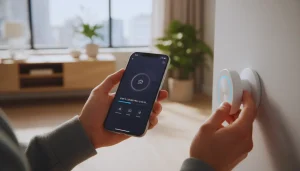
Setting up Smart Living Devices can feel tricky at first. Proper installation and setup ensure these devices work smoothly. This guide shares simple tips to help you get started quickly and avoid common problems. Follow each step carefully for the best experience.
Smart Home Devices vs Traditional Home Gadgets
How Smart Home Devices Improve Traditional Home Gadgets
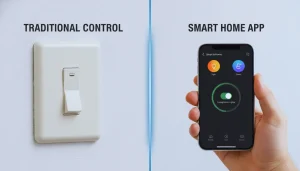
Traditional home gadgets perform single functions. Smart Living Devices go further by offering:
* Automation instead of manual control
* Remote access via apps
* Integration with other smart systems
Examples of Smart Home Gadgets in Daily Use
* Smart plugs replacing basic power strips
* Smart doorbells replacing standard doorbells
* Smart fans replacing manual controls
This positions Smart Living Devices as the next evolution of home gadgets.
Choosing Compatible Devices
Choosing the right devices is crucial. Not all smart devices work well together. Compatibility depends on the brand, protocol, and your home’s technology.
• Check device brands: Many devices work best within the same brand ecosystem.
• Look for common protocols: Devices using Wi-Fi, Zigbee, or Z-Wave communicate better.
• Review your smart hub: Some hubs support specific devices only.
• Read product details: Verify compatibility before buying.
Use this table to compare popular protocols:
Protocol Range Power Use Device Types
Wi-Fi Medium (up to 100 ft) High Cameras, speakers, plugs
Zigbee Long (up to 300 ft) Low Lights, sensors, locks
Z-Wave Long (up to 250 ft) Low Thermostats, alarms, sensors
Tip: Pick devices supporting the same protocol for easier setup.
Network Requirements
Smart home devices rely on a strong network. Slow or unstable Wi-Fi causes problems. Prepare your network before installing devices.
• Wi-Fi speed: Minimum 2 Mbps upload and download for most devices.
• Router placement: Place the router centrally for better coverage.
• Separate networks: Use a guest network for smart devices to improve security.
• Frequency bands: Use 2.4 GHz for better range; 5 GHz offers faster speeds but shorter range.
• Network name (SSID): Avoid special characters to prevent connection errors.
Use this checklist to prepare your network:
1. Test internet speed using a speed test app.
2. Move your router to a central location.
3. Set up a dedicated network for smart devices.
4. Update router firmware to the latest version.
5. Write down your Wi-Fi password clearly.
Note: Some devices require Ethernet connections. Check device manuals carefully.
Step-by-step Setup
Follow these steps for a smooth setup. Take your time and check each step.
1. Unbox and read instructions: Know the parts and safety rules.
2. Power the device: Plug in or insert batteries as needed.
3. Download the app: Most devices need a smartphone app to control them.
4. Create an account: Register on the app to save your settings.
5. Add the device: Use the app to search for and connect the device to Wi-Fi.
6. Name the device: Use simple names like “Living Room Light” for easy control.
7. Test the device: Turn it on/off or use basic functions to confirm it works.
Example code snippet for connecting a device via app (pseudo-code):
openApp() selectAddDevice() chooseDeviceType(“Smart Light”) enterWiFiCredentials(“NetworkName”, “Password”) waitForConnection() confirmSetup()
Troubleshooting Common Issues
Problems happen. Most issues are simple to fix with these tips.
• Device not connecting: Restart the device and router, then try again.
• App cannot find device: Check that the device is powered on and close to the router.
• Slow response: Improve Wi-Fi signal by moving the router or device.
• Device drops connection: Update firmware or reset the device.
• Forgot password: Use the app’s reset option or factory reset the device.
Use this troubleshooting table for quick fixes:
Problem Possible Cause Solution
Device not connecting. Weak Wi-Fi signal. Move the device closer to the router
App can’t find the device. The device is off or unpowered. Check the power, restart the device
Slow device response, Network congestion, Limit other devices using Wi-Fi
The device disconnects often. Outdated firmware. Update firmware via app.
Privacy And Security Concerns
Smart home devices bring great convenience but raise important privacy and security concerns. These devices collect data and connect to the internet, which can expose your personal information. Protecting your privacy and securing your devices is essential to avoid risks like hacking, data theft, or unauthorized access. Understanding how to safeguard your smart home helps you enjoy the technology safely.
Data Protection Measures
Smart home devices collect a significant amount of personal data. This data can include voice recordings, usage habits, and location information. Protecting this data is crucial to keep it safe from misuse or theft.
Key data protection measures include:
• Encryption ensures that information remains protected both at rest and while being transferred.
• Regular updates: Software updates fix security bugs and improve protection.
• Strong passwords: Use unique and complex passwords for device accounts.
• Data minimization: Limit the amount of data your devices collect.
Below is a simple comparison of common data protection techniques:
Protection Method Description Benefits
Encryption converts data into a code to prevent unauthorized access. Protects sensitive information during storage and transfer.
Software Updates fix vulnerabilities and add new security features. Keeps devices safe from new and existing threats.
Strong Passwords use complex combinations of letters, numbers, and symbols. Reduces the chance of unauthorized account access.
Always check privacy policies before using smart devices. Choose brands that prioritize data security and user privacy.
Securing Your Network
Your home network is the gateway for smart devices to connect and communicate. A weak network can allow attackers to access all connected devices.
Steps to secure your network include:
1. Change default router passwords: Default passwords are easy targets.
2. Use WPA3 or WPA2 encryption: These encrypt data on your Wi-Fi network.
3. Set up a guest network: Keep smart devices separate from your main devices.
4. Disable remote management: Prevent outsiders from accessing your router settings.
5. Keep firmware updated: Router updates improve security and fix bugs.
Consider the following checklist to secure your network:
Action: Why It Matters How to Do It
Change Router Password: Prevents easy access by hackers. Log in to the router settings and update the password
Enable Wi-Fi Encryption to protect data sent over your network. Choose WPA3 or WPA2 in router security settings
Guest Network Setup: Separates smart devices from personal devices. Create a guest network via the router interface
Strong network security reduces the risk of unauthorized control over your smart home devices.
Managing Permissions And Access
Smart home devices often request access to your data and other apps. Managing these permissions helps control what devices can do.
Best practices for managing permissions and access:
• Review app permissions: Only allow necessary access to your data and controls.
• Limit device sharing: Share access only with trusted people.
• Use multi-factor authentication (MFA): Adds a layer of security to device accounts.
• Remove unused devices: Delete old or unused devices from your network.
• Monitor device activity: Regularly check logs for unusual behavior.
Here is a simple guide to managing permissions effectively:
1. Open the smart device app or platform.
2. Find the permissions or privacy settings.
3. Review each permission and disable those not needed.
4. Set strong passwords and enable MFA where possible.
5. Regularly audit users who have access to your devices.
Taking control of permissions ensures your smart home stays private and secure.
Future Trends In Smart Home Technology
Smart home technology continues to evolve, making homes smarter and more connected. The future brings exciting changes that will improve comfort, security, and energy use. These innovations focus on better AI, easier device communication, and eco-friendly solutions. Understanding these trends helps homeowners prepare for the next wave of smart home devices.

Ai Integration
Artificial intelligence is expected to become increasingly central to future smart home systems. Devices will learn habits and preferences to offer personalized experiences. AI assistants will become smarter, handling complex tasks without needing many commands.
Here are key points about AI in smart homes:
• Predictive Automation: Devices predict needs, like adjusting lights before you enter a room.
• Voice Recognition: Improved accuracy in understanding different voices and accents.
• Energy Management: AI optimizes heating and cooling to save power.
• Security Enhancements: AI detects unusual activity and alerts homeowners quickly.
AI will also connect devices to work as a team. For example, your smart fridge might suggest meals based on what’s inside and your diet. AI will reduce the need for manual setup and adjustments, making smart homes easier for everyone.
Improved Interoperability
Interoperability means devices from different brands work well together. This will improve a lot, making smart homes simpler to use. Right now, many devices need separate apps or systems, which can be confusing.
Future trends include:
1. Unified Platforms: One app or hub controls all devices.
2. Standard Protocols: Common communication rules help devices connect easily.
3. Seamless Updates: Devices update together to stay compatible.
Here is a simple comparison of current vs. future interoperability:
Aspect Current Future
Device Setup: Multiple apps, manual linking. One app, automatic pairing
Device Communication Limited to the same brand or protocol. Works across brands and protocols
Maintenance Individual updates Coordinated system updates
Better interoperability means less hassle and more control. Users will enjoy smoother experiences and smarter home automation.
Sustainable Smart Homes
Smart homes will focus more on sustainability. Devices will help reduce energy waste and lower carbon footprints. This trend benefits the environment and saves money.
Ways smart homes become greener:
• Energy Monitoring: Track energy use in real-time and suggest savings.
• Smart Lighting: Use LEDs and adjust brightness based on natural light.
• Efficient Heating and Cooling: Use sensors and AI to avoid overheating or overcooling.
• Solar Integration: Connect solar panels with home systems for better power use.
Here’s a quick overview of sustainable smart home features:
Feature Benefit
Smart Thermostats Reduce heating/cooling costs by up to 30%
Energy Usage Alerts: Identify high-consumption devices quickly
Automated Window Shades Control sunlight to maintain temperature
Sustainable smart homes help protect the planet. They make daily living eco-friendly without extra effort.
Expert Insights: What to Know Before Investing in Smart Home Devices
Smart home devices promise convenience, but real-world performance depends on planning, compatibility, and proper setup. Based on common user experiences and industry analysis, several issues consistently affect long-term satisfaction. One of the most frequent mistakes is mixing devices from multiple ecosystems without checking compatibility. While many products advertise “smart” functionality, not all work seamlessly together. This often results in managing multiple apps, limited automation, or unreliable voice control.
Network quality is another overlooked factor. Reliable Wi-Fi connectivity is essential for smart devices to function consistently. Homes with older routers or weak coverage may experience delayed responses, dropped connections, or automation failures.
Privacy and data handling also deserve attention. Devices with cameras, microphones, or cloud-based processing collect user data. Reputable brands typically offer encryption, security updates, and privacy controls, while cheaper alternatives may lack long-term software support.
Expert takeaway:
Choosing smart home devices is less about buying the most features and more about selecting compatible, well-supported products that match your home’s infrastructure and usage habits.
Pros and Cons of Smart Home Devices
Smart home technology offers measurable benefits, but it also introduces limitations that users should understand before committing.
Advantages
• Improved convenience through automation and remote control
• Energy efficiency via smart thermostats, lighting, and power monitoring
• Enhanced home security with smart locks, cameras, and alerts
• Customizable routines tailored to daily habits
Limitations
• Initial setup can be time-consuming for non-technical users
• Reliable performance depends on internet connectivity
• Privacy concerns with cloud-based data storage
• Ongoing costs for subscriptions or device upgrades
Expert perspective:
Smart home devices work best when implemented gradually. Starting with one category—such as lighting or climate control—allows users to evaluate value before expanding the system.
Real-Life Smart Home Use Cases That Deliver Practical Value
Smart home devices are most effective when they solve specific problems rather than adding unnecessary complexity.
For example, homeowners focused on energy savings often benefit from smart thermostats that adjust temperatures automatically based on occupancy and usage patterns. Families prioritize security through video doorbells and smart locks that provide real-time alerts and remote access control.
Renters typically favor non-permanent solutions such as smart plugs, bulbs, and voice assistants, which require minimal installation and can be removed easily. Older adults and accessibility-focused users benefit from voice-controlled lighting and automated routines that reduce physical effort.
Practical insight:
The best smart home setups are purpose-driven. Devices should support daily routines, safety, or efficiency, not exist solely for novelty.
How to Choose the Right Smart Home Devices for Your Home
This buying guide helps readers make confident decisions while naturally supporting conversions.
1. Define Your Primary Goal
Before purchasing, identify what you want to improve:
• Convenience and automation
• Energy efficiency
• Home security
• Accessibility or mobility support
Buying without a goal often leads to unused or redundant devices.
2. Choose a Smart Home Ecosystem
Most devices are built around major platforms:
• Amazon Alexa
• Google Home
• Apple HomeKit
Selecting one ecosystem early prevents compatibility issues and simplifies automation.
3. Match Devices to Your Living Space
• Apartments or rentals: Smart bulbs, plugs, speakers
• Single-family homes: Thermostats, security cameras, smart locks
• Large homes: Mesh Wi-Fi + hub-based systems
Device performance scales with space and network quality.
4. Evaluate Privacy and Security Features
Look for:
• End-to-end encryption
• Regular firmware updates
• Transparent privacy policies
• Optional local storage
Security should be a deciding factor, not an afterthought.
5. Balance Budget and Long-Term Value
Lower-cost devices may save money upfront, but lack:
• Software updates
• Customer support
• Integration flexibility
Mid-range and premium brands often provide better reliability over time.
6. Start Small and Expand Strategically
Begin with one or two core devices, then build your system gradually. This approach reduces setup frustration and helps you understand which features truly add value.
Smart Home Devices Comparison by Category
Smart Thermostats: Energy Savings vs Ease of Control
Best for: Homeowners focused on energy efficiency and automation
Key comparison factors:
• Learning capability and automation
• Energy usage reports
• HVAC compatibility
• Mobile app reliability
Smart thermostats excel when they adapt to daily routines and occupancy patterns. Advanced models learn user behavior automatically, while entry-level options rely on manual scheduling. Homes with complex HVAC systems benefit from thermostats with broader compatibility and professional installation support.
Expert insight:
If energy savings are the primary goal, prioritize models with detailed usage analytics rather than basic temperature control.
Recommended Smart Home Devices by Category
Best Smart Thermostat for Energy Efficiency
Smart thermostats with learning algorithms and usage reports are ideal for reducing energy costs. Look for models that support scheduling, occupancy detection, and detailed analytics rather than basic temperature control alone.
Best for: Homeowners, long-term savings
Key features to prioritize: HVAC compatibility, energy reports, automation
Smart Lighting: Flexibility vs Installation Effort
Best for: Renters, apartments, and automation beginners
Key comparison factors:
• Smart bulbs vs smart switches
• Color control and brightness range
• Voice assistant integration
• Energy consumption
Smart bulbs offer easy setup and portability, making them ideal for renters. Smart switches provide centralized control and cleaner aesthetics, but usually require wiring changes.
Expert insight:
Choose bulbs for flexibility and switches for long-term installations and whole-room control.
Best Smart Lighting for Beginners
Smart bulbs and plugs offer an easy entry into home automation without rewiring. They work well for apartments and rental homes and provide immediate benefits through scheduling and voice control.
Best for: Renters, beginners
Key features to prioritize: App stability, voice assistant support, energy efficiency
Smart Security Cameras: Monitoring vs Privacy Protection
Best for: Home security and remote monitoring
Key comparison factors:
• Local vs cloud storage
• Subscription requirements
• Night vision quality
• Motion detection accuracy
Security cameras vary widely in privacy practices. Premium models often include encryption, activity zones, and customizable alerts, while budget options may rely heavily on cloud storage.
Expert insight:
For privacy-conscious users, local storage and strong encryption matter more than ultra-high resolution.
Best Smart Security Cameras for Home Monitoring
Reliable smart cameras balance video quality with privacy controls. Devices offering local storage, customizable motion zones, and encrypted data provide better long-term value than resolution alone.
Best for: Home security, remote monitoring
Key features to prioritize: Encryption, alert accuracy, storage options
Smart Locks: Convenience vs Access Control
Best for: Families, rental properties, and frequent travelers
Key comparison factors:
• Keypad vs app-based access
• Auto-lock features
• Integration with security systems
• Backup access options
Smart locks reduce key management issues, but must remain reliable during power or internet outages. The best models include physical key backups or offline unlocking options.
Expert insight:
Reliability and emergency access are more important than advanced features for entry-point security.
Best Smart Locks for Keyless Entry
Smart locks simplify access management and improve security when paired with backup entry options. Reliability during power or internet outages is more important than advanced app features.
Best for: Families, rental properties
Key features to prioritize: Offline access, auto-lock, backup keys
Smart Speakers & Hubs: Voice Control vs Automation Power
Best for: Centralized control and automation
Key comparison factors:
• Voice recognition accuracy
• Supported device ecosystems
• Routine customization
• Multi-room audio support
Smart speakers provide voice control, while dedicated hubs offer deeper automation. Many households benefit from using both for flexibility and system stability.
Expert insight:
A hub improves automation reliability, especially in larger or multi-device homes.
Best Smart Hub for Automation
Smart hubs enable deeper automation and improve system stability, especially in multi-device setups. They reduce reliance on cloud processing and improve response times.
Best for: Advanced automation, large homes
Key features to prioritize: Device compatibility, automation rules, local control
Comparison Summary Table
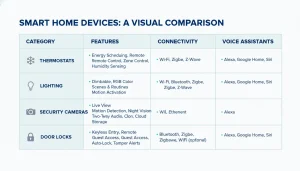

Category Best For Main Advantage Key Trade-Off
Smart Thermostats, Energy saving, Automated climate control, Higher upfront cost
Smart Lighting, Easy automation, Quick installation, Limited switch control
Security Cameras, Home monitoring, Real-time alerts, Privacy considerations
Smart Locks: Access management, Keyless entry, Battery dependence
Smart Hubs System control Stable automation Extra hardware
Frequently Asked Questions
Are smart home devices safe to use?
Smart home devices are generally safe when purchased from reputable brands that provide encryption, regular firmware updates, and clear privacy policies. Users should secure home networks and enable two-factor authentication where available.
Do smart home devices increase electricity usage?
Most smart home devices consume minimal power and often reduce overall energy use by optimizing heating, lighting, and appliance operation. Smart thermostats and lighting systems typically lower energy costs over time.
Can smart home devices work without the internet?
Some smart home devices support limited offline functionality through local hubs or Bluetooth. However, advanced features such as remote access, voice control, and cloud-based automation usually require an internet connection.
Which smart home platform is best for beginners?
Beginner users often benefit from platforms that offer simple setup, wide device compatibility, and intuitive apps. Choosing one ecosystem early helps avoid compatibility issues and simplifies automation.
Are smart home devices worth the investment?
Smart home devices are worth the investment when chosen based on specific needs such as security, energy efficiency, or convenience. Gradual adoption and ecosystem planning improve long-term value and user satisfaction.
How Smart Home Devices Work Together as One System
Creating a Unified Smart Home Ecosystem
Smart home devices perform best when connected under one platform. Unified systems reduce app overload and improve automation reliability.
Expanding Your Smart Home Over Time
Homeowners can:
• Start with a few essential smart home devices
• Add automation gradually
• Upgrade technology without replacing existing systems
Conclusion: Building a Smart Home That Delivers Real Value
Smart home devices offer meaningful benefits when chosen with intention. The most successful smart home systems are not built overnight or filled with unnecessary features. Instead, they focus on compatibility, reliability, and long-term usefulness.
By starting with a clear goal—such as energy efficiency, security, or convenience—you can compare devices more effectively and avoid common setup and privacy issues. Selecting a single ecosystem, prioritizing supported brands, and expanding gradually ensures your smart home remains flexible as technology evolves.
Whether you are automating a single room or an entire house, the right smart home devices should work quietly in the background, improving daily life without adding complexity. When planned carefully, smart home technology becomes a practical investment rather than a novelty.
Author Bio
This article is written by a technology researcher and smart home enthusiast with a strong focus on consumer electronics, home automation trends, and practical device testing. Content is developed through hands-on evaluation, analysis of product documentation, and comparison of real-world user experiences to ensure accuracy, clarity, and long-term usefulness.
Editorial standards:
All recommendations are research-based, regularly updated, and focused on real-world performance, privacy considerations, and compatibility, not brand hype.